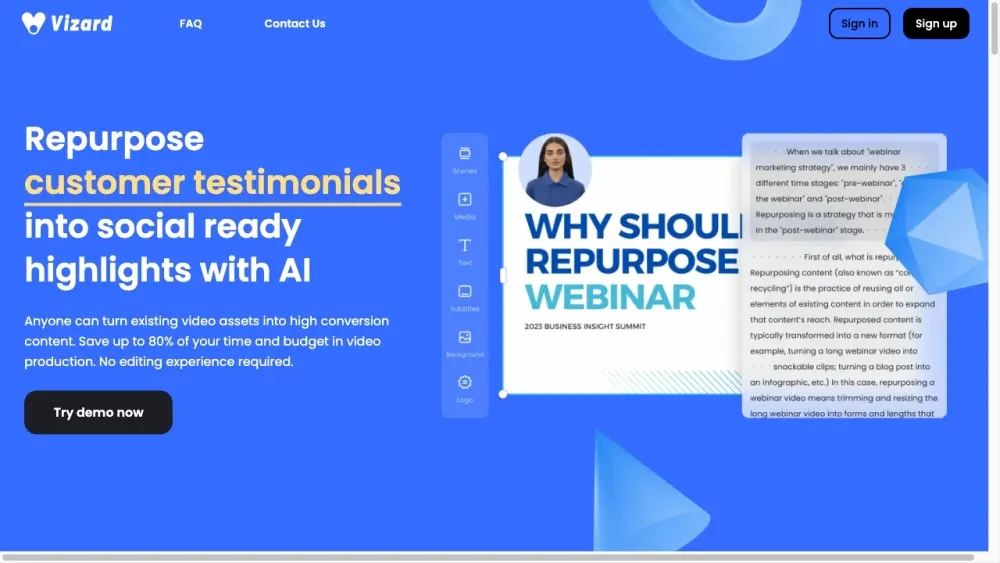
Overview
Ever recorded a brilliant hour-long webinar or podcast, only to realize the work of distilling it into shareable social clips is just beginning? Vizard.ai is an AI-powered video editor designed specifically to automate this tedious process, transforming long-form content into a library of short, platform-optimized videos ready for engagement.
Key Features
- AI-Powered Clip Detection: Automatically identifies the most engaging moments, key points, and highlight-worthy segments from lengthy videos without manual scrubbing.
- Automated Social Formatting: Instantly resizes and reformats generated clips into vertical, square, and horizontal aspect ratios tailored for TikTok, Instagram, YouTube Shorts, and more.
- Smart Captions & Subtitles: Generates accurate transcriptions and embeds stylish, animated subtitles to boost viewer retention and accessibility in a single click.
- One-Click Background Removal: Uses AI to cleanly remove and replace video backgrounds, enabling professional-looking settings without a green screen.
- Text-to-Video Conversion: Repurposes existing text content, like blog posts or articles, into narrated video presentations using AI avatars and voiceovers.
- Multilingual Avatar Videos: Creates talking-head spokesperson videos from a product link or script, featuring AI avatars that speak in multiple languages.
- Noise Cancellation & Enhancement: Cleans up audio by removing background noise, hums, and echoes while optimizing levels for a crisp, professional sound.
- Custom Branding Kit: Allows users to save and automatically apply their logos, brand colors, fonts, and watermark templates to all newly created videos.
- Bulk Export & Download: Processes and exports multiple video clips simultaneously, saving significant time for content creators managing large volumes.
- Cloud-Based Editing: A fully web-based platform that requires no software downloads, allowing for editing from any device with a browser and internet connection.
- Team Collaboration Workspace: Provides shared folders, edit permissions, and comment/review features for teams to collaborate on video projects seamlessly.
- Direct Social Publishing: Offers integrations to publish finished videos directly to connected social media platforms and video hosting services like YouTube.
Pros
- Massive Time Savings: Drastically reduces the hours spent on manual editing, clipping, and formatting, allowing creators to focus on content strategy instead of production.
- High-Quality Automation: Delivers consistently professional-looking results with automated subtitles, formatting, and enhancements that rival basic manual edits.
- Exceptional Accessibility: The automated subtitle generation makes content instantly more accessible to a wider audience, including those who watch without sound.
- Intuitive User Interface: Features a clean, straightforward dashboard that is easy to navigate, making it accessible for non-editors and professionals alike.
- Strong Social Focus: Every feature is built with viral social content in mind, providing tools optimized for the algorithms of major short-form video platforms.
- Powerful Repurposing: Unlocks new value from existing long-form content archives, turning a single webinar into weeks of fresh social media material.
Cons
- Limited Creative Control: The automated nature of the tool can restrict fine-tuned creative adjustments that advanced editors achieve in traditional software.
- Watermark on Free Plan: The free version includes a branded watermark on exports, which requires a paid subscription to remove for professional use.
- Internet Dependency: As a browser-based tool, it requires a stable and reasonably fast internet connection for uploading, processing, and downloading videos.
- Learning Curve for New Features: While the core clipping is simple, mastering the full suite of advanced features like avatars and text-to-video takes some exploration.
- Output Quality Variance: The final video quality can sometimes depend on the quality of the original source material uploaded for processing.
Use Cases
- Content Marketers: Systematically repurpose webinar recordings, interviews, and podcasts into a continuous stream of promotional clips for Twitter, LinkedIn, and Instagram.
- Social Media Managers: Quickly generate high volumes of platform-specific video content from company talks and events to maintain an active posting schedule.
- Educators & Course Creators: Transform lengthy lecture recordings into digestible, highlight-reel study aids or teaser videos to attract new students.
- Podcasters: Expand reach by converting audio-only episodes into visually engaging video clips with subtitles for platforms like YouTube Shorts and TikTok.
- Small Business Owners: Create affordable, professional-looking product demonstration and explainer videos from a simple blog post or product description page.
- Coaches & Consultants: Easily share key insights and testimonials from client sessions or speaking engagements while maintaining a professional, polished aesthetic.
- YouTube Creators: Efficiently create compelling trailers and teasers from existing long-form videos to drive traffic and cross-promote on other social channels.
Quick Start Guide
1. Sign up on the Vizard website and create a new project. 2. Upload your long video file (e.g., a webinar, interview, or podcast recording). 3. Let the AI analyze the video and suggest clips, or manually select your desired segments. 4. Customize with subtitles, branding, and format, then export and download your social-ready shorts.
Conclusion
Vizard.ai excels as a highly specialized tool for a very specific and common pain point: video repurposing. It is not a replacement for a full-fledged video editor like Adobe Premiere but acts as a powerful force multiplier for marketers, creators, and businesses that need to scale their social video output. Its greatest strength is automating the tedious, time-consuming parts of the process. If your primary goal is to quickly generate a large volume of professional-looking social clips from existing long-form content, Vizard is an exceptional choice. Evaluate your need for deep creative control versus efficiency to determine if it fits your workflow.
Frequently Asked Questions
The free plan typically includes a limited number of exports per month, lower resolution video downloads, and a branded watermark on all exported clips. Access to advanced features like AI avatars is usually restricted to paid tiers.
Vizard supports common video formats like MP4, MOV, and AVI. It also allows you to import content by pasting a link from YouTube or Vimeo, which is convenient for repurposing already-published content.
The AI transcription is generally very accurate for clear audio in supported languages. Most platforms include an easy-to-use text editor to quickly correct any errors the AI might make before finalizing your video.
Yes, in the text-to-video and avatar video features, you can typically upload your own pre-recorded audio file to sync with the visuals instead of relying on the generated AI voice.
Yes, it provides pre-configured templates optimized for the specific dimensions and style of TikTok, Instagram Reels, YouTube Shorts, Twitter, and Facebook, making it easy to ensure your content looks native to each platform.
As a primarily cloud-based service, it is optimized for use in a mobile browser. However, for intensive editing and uploading, a desktop or laptop computer is recommended for the best experience.
This depends on your subscription tier. Free plans often have a limit (e.g., 30 minutes), while paid plans allow for much longer uploads, sometimes several hours, which is ideal for webinars and podcasts.