

Overview
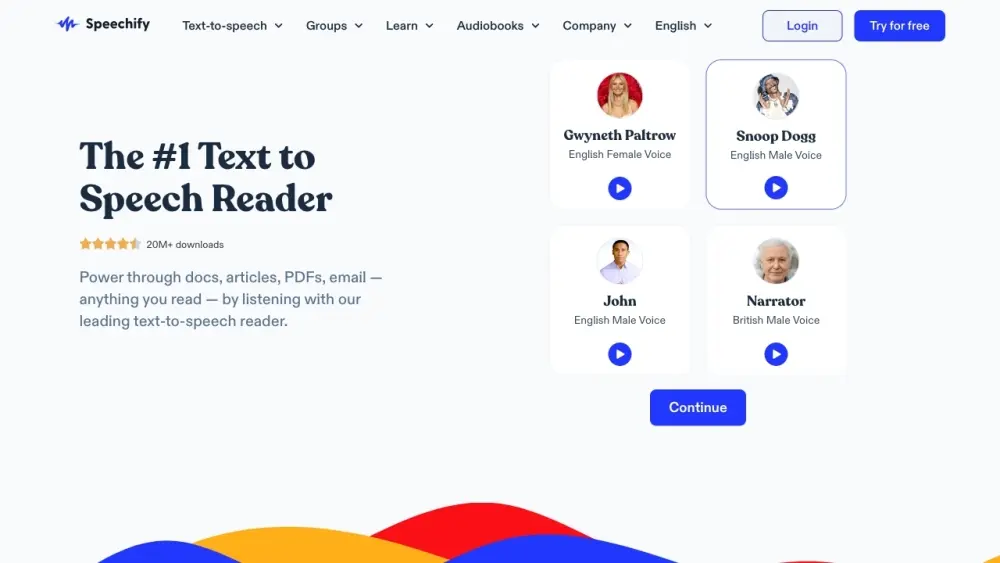
What if you could listen to any text, from dense PDFs to lengthy web articles, read aloud in a natural, human-like voice? Speechify is a leading AI text-to-speech tool that makes this a reality, designed to enhance productivity and accessibility by converting written content into high-quality audio across all your devices.
Key Features
- Natural AI Voices: Offers over 30 premium, human-like voices in multiple languages and accents, providing a lifelike listening experience that reduces auditory fatigue.
- Fast Playback Speeds: Allows users to listen to content at accelerated rates up to 9x normal speed, dramatically cutting down information consumption time.
- Multi-Format Support: Capable of reading aloud a wide array of text formats including websites, PDFs, ebooks, and even scanned physical documents via OCR.
- Cross-Device Syncing: Enables a seamless listening experience by syncing progress and saved content across Chrome, iOS, Android, and other platforms.
- OCR Scanning: Converts physical printed text from books or documents into audible speech using the device's camera, bridging the gap between physical and digital.
- AI Voice Generation: Includes advanced tools for creating professional voiceovers, dubbing for videos, and even custom voice cloning for personalized audio content.
- AI-Powered Summaries: Employs artificial intelligence to generate concise summaries of long texts, allowing for quick comprehension of key points and ideas.
- Offline Listening: Provides the ability to download generated audio files for offline access, ideal for commutes or areas with limited internet connectivity.
- Note-Taking & Highlighting: Integrates features that allow users to highlight important text passages and take notes directly within the app while listening.
- Browser Extension: Offers a convenient Chrome extension that can read any webpage aloud directly from the browser, streamlining the workflow for online research.
Pros
- Superior Voice Quality: Delivers some of the most natural-sounding and least robotic AI voices available on the market, enhancing listener engagement.
- Exceptional Speed Flexibility: The high-speed playback options are highly effective for rapid content review and are praised for maintaining clarity even at faster rates.
- Strong Accessibility Focus: Originally built to assist users with dyslexia and other reading disabilities, it remains a powerful tool for improving content accessibility.
- Intuitive User Interface: The app and browser extension are designed for ease of use, allowing new users to start listening to content with minimal setup.
- Robust Cross-Platform Support: Functions seamlessly across mobile devices, desktops, and web browsers, ensuring a consistent experience anywhere.
- Continuous Innovation: Regularly introduces new AI features like summaries and quizzes, demonstrating a strong commitment to product development and user value.
- Celebrity Voice Partnerships: Collaborations with well-known voices, like John Rhys-Davies, add a unique and engaging dimension to the listening experience.
Cons
- Freemium Model Limitations: The free version is quite restricted, pushing users toward a paid subscription to access the best voices and full feature set.
- Pricing Structure: The subscription cost can be perceived as high for individual users, especially when compared to some basic built-in device TTS options.
- Occasional Processing Glitches: Can sometimes mispronounce complex words, names, or technical jargon, requiring manual correction or slowing down the playback.
- Variable Web Reading Accuracy: The browser extension may not always perfectly capture and read the main body of a webpage, sometimes including menus or ads.
- Battery Consumption: Continuous use, especially with the screen on for scanning or highlighting, can drain device battery life more quickly.
- Limited Customization in Free Tier: Users on the free plan have very few options for adjusting voice characteristics or accessing advanced features.
Use Cases
- Students with Dyslexia: Provides crucial support for individuals with reading challenges by converting textbooks and study materials into audible format.
- Professionals & Researchers: Enables efficient consumption of lengthy reports, research papers, and industry articles during commutes or while multitasking.
- Language Learners: Assists in improving pronunciation and listening comprehension by hearing text read aloud accurately in a new language.
- Content Creators & Editors: Utilizes the AI voice generation and cloning tools to create voiceovers for videos, podcasts, and other multimedia projects.
- Proofreading Documents: Offers a powerful method for catching errors and improving writing flow by listening to written text read back aloud.
- Accessibility Compliance: Serves as an essential tool for organizations and educators to make digital content accessible to a wider audience.
Quick Start Guide
1. Sign up for a free account on the Speechify website or via its mobile app. 2. Import content by uploading a PDF, pasting text, or using the browser extension on a webpage. 3. Select your preferred AI voice and adjust the reading speed to your liking. 4. Press play to start listening; use highlighting and note-taking features to engage with the material.
Conclusion
Speechify stands out as a top-tier text-to-speech solution, primarily due to its exceptional voice quality and robust multi-platform functionality. It is highly recommended for students, particularly those with dyslexia or other reading difficulties, as well as for professionals seeking to optimize their productivity by consuming written content audibly. While the subscription cost may be a consideration for some, the free version offers a worthwhile opportunity to evaluate the core technology. For users whose workflow heavily relies on processing large volumes of text, the investment in a premium plan is likely justified by the significant gains in efficiency and accessibility.
Frequently Asked Questions
Yes, Speechify operates on a freemium model. The free version offers access to basic text-to-speech conversion but with a limited selection of standard voices and features. The premium, natural-sounding AI voices and advanced tools like voice cloning require a paid subscription.
The free plan typically includes a restricted set of voices, which often sound more robotic than the premium AI options. It may also impose limits on reading speed, the number of listens, or access to features like offline listening and advanced scanning.
Yes, using the OCR (Optical Character Recognition) functionality within the mobile app, you can scan pages from a physical book with your device's camera, and Speechify will convert the printed text into speech.
Speechify supports multiple languages and offers various accents within those languages, particularly for its premium AI voices. This makes it a useful tool for language learners and multilingual users.
Downloading audio for offline listening is a feature typically available to premium subscribers. This allows you to save generated audio files and listen to them without an active internet connection.
Speechify allows you to import files directly from cloud storage services like Google Drive, Dropbox, and iCloud. However, deep, two-way integrations with note-taking apps are generally not its core strength; it focuses more on being a standalone listening platform.
Speechify's AI-generated voices are significantly more natural and human-like than most standard device text-to-speech engines. It also offers a more unified experience across different platforms and devices, along with specialized features like scanning and advanced playback controls.


