Overview
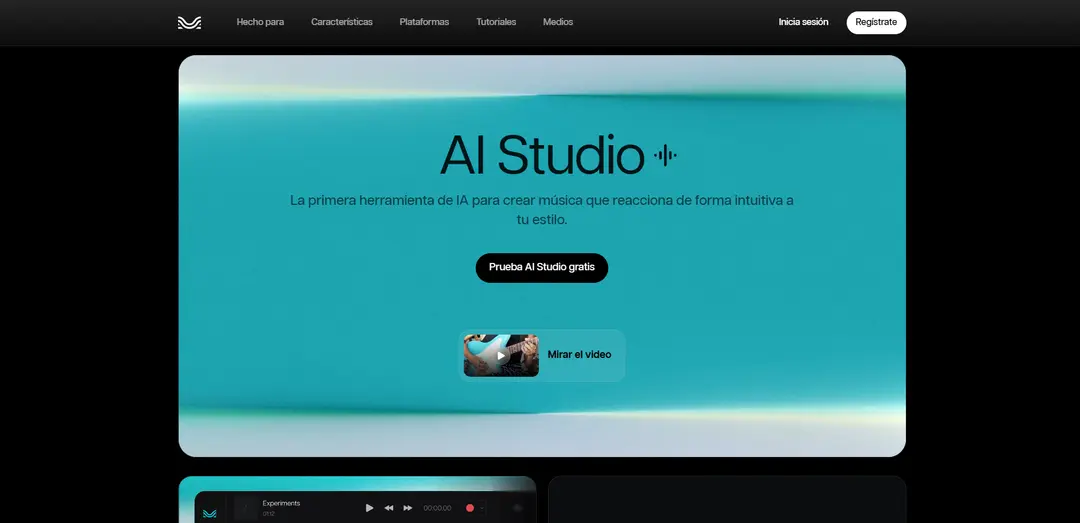
What if you could deconstruct any song into its individual components or generate a complete studio-quality arrangement from a simple idea? Moises AI Studio is a browser-based platform that makes this possible, combining powerful AI stem separation with generative music tools to empower musicians of all skill levels.
Key Features
- AI Stem Separation: Isolates vocals, drums, bass, and other instruments from any uploaded track with high precision, allowing for detailed remixing and practice.
- Smart Instrument Generation: Creates new, perfectly matched instrumental stems (drums, guitar, etc.) that automatically sync to your track's timing, tone, and style.
- Smart Selection Generator: Highlights a specific section of a track to have the AI generate new ideas, transitions, or grooves that maintain musical continuity.
- Genre-Based Presets: Offers pre-configured settings for various musical styles, enabling quick shaping of a track's overall vibe while maintaining a creative flow.
- AI Mixing and Mastering: Provides professional-grade tools to polish and finalize tracks, ensuring they sound balanced and release-ready directly within the platform.
- Voice Modeling: Allows for manipulation and modeling of vocal tracks, offering capabilities for effects, replacement, or enhancement using AI.
- Browser-Based Editor: Functions entirely online without complex software installation, making professional tools accessible from any device with a web browser.
- Collaboration Tools: Facilitates sharing projects and stems with other musicians, enabling remote teamwork and feedback on music productions.
Pros
- Accessibility: The browser-based nature and intuitive design significantly lower the barrier to entry for beginners, eliminating the steep learning curve of traditional DAWs.
- Powerful Core Technology: The stem separation and AI generation tools are industry-leading, providing reliable, high-quality results that are invaluable for practice and production.
- Creative Catalyst: The smart generation features are excellent for overcoming creative blocks, instantly providing new musical ideas and variations based on your existing work.
- Comprehensive Workflow: It consolidates the entire music production process—from idea generation and isolation to mixing and mastering—into a single, cohesive platform.
- Strong Free Tier: The freemium model offers substantial functionality at no cost, allowing users to thoroughly test the core features before committing to a subscription.
- Proven Recognition: Being awarded Apple's 2024 iPad App of the Year validates its quality, innovation, and utility for a massive user base of over 65 million.
Cons
- Output Limitations on Free Plan: Free users face restrictions on the number of monthly processing credits and the audio quality of exports, pushing serious users toward paid plans.
- Internet Dependency: As a browser-based tool, a stable and reasonably fast internet connection is mandatory for uploading, processing, and working on projects.
- Not a Full DAW Replacement: While powerful, it may lack the deep, granular editing and vast plugin ecosystem of established desktop Digital Audio Workstations for advanced users.
- Learning Curve for Advanced Features: Mastering the full potential of the smart generation and mixing tools requires time and experimentation despite the overall user-friendly interface.
- Potential Audio Artifacts: Like all AI separation tools, it can sometimes introduce artifacts or make errors on complex mixes, requiring manual cleanup in certain scenarios.
Use Cases
- Music Practice and Learning: Musicians can isolate specific instrument parts from commercial songs to play along, slow down, or loop difficult sections for effective practice.
- Remixing and Sampling: Producers can easily extract acapellas or drum breaks from existing tracks to create new remixes or sample-based compositions legally and ethically.
- Songwriting and Arrangement: Songwriters can generate complete instrumental backing tracks from a simple vocal or guitar idea, experimenting with different genres and styles instantly.
- Audio Restoration and Enhancement: Isolate and remove unwanted elements like noise or a specific instrument from a live recording or old demo to improve overall sound quality.
- Content Creation: Video creators and social media influencers can quickly generate custom, royalty-free background music or create instrumental versions of tracks for their content.
- Teaching and Education: Music teachers can create practice materials by isolating parts of ensemble pieces for their students or demonstrating arrangement techniques in real-time.
Quick Start Guide
1. Upload an audio file or start with a text prompt describing the music you want to create. 2. Use the stem separation tool to isolate parts or the generation tool to create new instrument tracks. 3. Customize your generated stems using genre presets and creative controls for expressiveness. 4. Arrange, mix, and master your final track before exporting it from the browser-based editor.
Conclusion
Moises AI Studio stands out as a remarkably accessible and powerful tool that democratizes advanced music production. It is most highly recommended for musicians, producers, and content creators who need to quickly deconstruct music for practice or generate high-quality arrangements without deep technical expertise. While professional audio engineers might still rely on a full DAW for final touches, Moises is an unparalleled catalyst for creativity, learning, and rapid prototyping. Its freemium model makes it easy to start, but its true potential is unlocked through a subscription for serious users. For anyone looking to break through creative blocks or simplify their workflow, it is an essential utility.
Frequently Asked Questions
Traditional DAWs are complex software for detailed recording, editing, and mixing. Moises AI Studio is a browser-based platform focused on AI-powered tasks like stem separation and generative music creation, offering speed and simplicity for specific workflows rather than deep, manual control.
Yes, Moises offers a freemium model. The free plan includes a limited number of monthly credits for processing tasks (like separation and generation) and may restrict the download quality of your exported audio files compared to paid tiers.
Absolutely. The Moises app is highly optimized for iOS and was even named Apple's 2024 iPad App of the Year, offering a full-featured, mobile-friendly experience alongside the browser-based version.
According to the platform's privacy policy, user-uploaded content is not used to train their public AI models. Your music and data remain private, but it's always advisable to review the current terms of service for the most accurate information.
The platform supports common audio formats like MP3, WAV, and others for upload. Exports are typically available in high-quality formats like WAV and MP3, with the specific quality often depending on your subscription plan.
Yes, Moises includes collaboration features that allow you to share projects with other users, enabling them to listen, comment, and even edit, making it useful for remote teamwork and receiving feedback.