

Overview
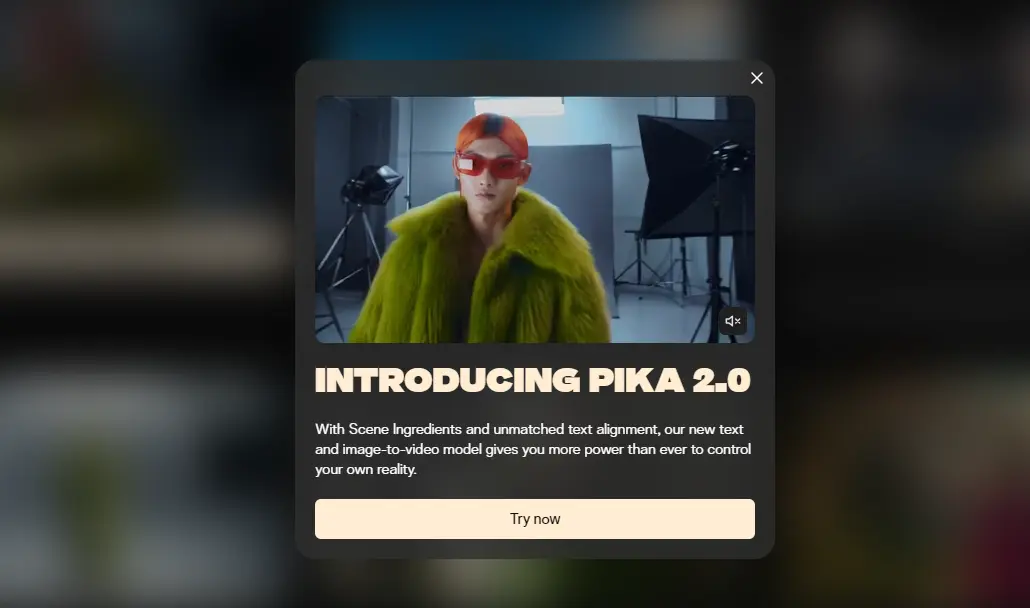
What if you could generate cinematic video content from a simple text idea? Pika 2.0 is an AI-powered platform that transforms text prompts, images, and existing video clips into immersive, high-quality video content. It moves beyond basic animation, offering filmmakers, marketers, and creators a suite of advanced tools to produce professional-looking visuals without a full production crew.
Key Features
- Text-to-Video: Generate video sequences directly from descriptive text prompts, allowing for the creation of scenes and narratives from pure imagination.
- Image-to-Video: Animate any static image, bringing photographs, illustrations, and digital art to life with dynamic motion and cinematic camera movements.
- Video-to-Video: Apply transformative stylization and effects to existing video clips, altering their visual style, setting, or atmosphere with AI.
- Pikaffects: A library of specialized visual effects that can be added to generated content, such as adding smoke, fire, or lens flares to enhance realism.
- Cinematic Shots: Access pre-configured camera movements and angles, including drone shots, dolly zooms, and close-ups, to achieve a professional filmic quality.
- Realistic Animations: The engine is tuned to produce physically plausible motion and textures, creating outputs that feel more natural and less artificially generated.
- Audio Integration: Add sound effects and atmospheric audio tracks to your generated videos to create a more complete and immersive final product.
- User-Friendly Interface: A clean, web-based platform designed for accessibility, enabling both technical and non-technical users to navigate the creation process easily.
- Prompt Expansion: Extend the length of your generated videos or expand the frame to reveal more of the scene beyond the initial generated clip.
- Community Showcase: Explore a public feed of creations from other users for inspiration and to understand the capabilities and limits of the tool.
Pros
- Accessibility: Democratizes high-quality video production, making it available to creators without access to expensive equipment or specialized skills.
- Rapid Prototyping: Incredibly fast for brainstorming, storyboarding, and creating visual concepts, drastically reducing pre-production time.
- Creative Freedom: Allows for the exploration of visual ideas that would be impractical, expensive, or impossible to film in the real world.
- Cost-Effective: Provides a freemium model, offering substantial value and functionality at no cost, which is rare for a tool of this capability.
- Constant Innovation: The development team frequently releases new features and models, showing a strong commitment to improving the user experience.
- High-Quality Output: For an AI video generator, it produces some of the most coherent, stable, and cinematic results currently available to the public.
Cons
- Coherence Limitations: Generated videos can sometimes exhibit visual artifacts, flickering, or a loss of logical consistency in objects and characters over time.
- Limited Control: While improving, users have less granular control over specific elements within a scene compared to traditional animation or VFX software.
- Short Duration: Outputs are typically limited to a few seconds, requiring manual editing and looping to create longer narrative sequences.
- Computational Wait Times: Generating videos requires processing time on remote servers, leading to a queue and wait, especially for free users during peak times.
- Abstract Prompt Challenges: The AI can struggle with highly complex, abstract, or extremely specific prompts that require nuanced understanding or precise human anatomy.
- Watermarks: Free tier outputs include a Pika Labs watermark, which requires a subscription to remove for professional, clean usage.
Use Cases
- Content Creation: Social media managers and digital marketers quickly generating engaging, eye-catching short-form video content for platforms like TikTok and Instagram.
- Storyboarding and Pre-Viz: Filmmakers and agencies rapidly visualizing scenes and concepts to pitch ideas before committing to full-scale production.
- Concept Art Animation: Game developers and illustrators bringing their static character designs and environment paintings to life with subtle motion.
- Educational Content: Teachers and explainer video creators producing simple animated sequences to illustrate complex concepts or historical events.
- Music Visualizers: Musicians and artists creating unique, generative visual accompaniments for their tracks that react to the mood and rhythm of the music.
- Prototyping Game Assets: Indie game developers creating quick animated textures, background elements, or visual effect prototypes for their projects.
- Personalized Greetings: Creating unique, animated video messages or birthday cards from a simple text description or a photo of the recipient.
Quick Start Guide
1. Sign up for a free account on the Pika Labs website. 2. In the creation interface, choose your input method: type a text prompt, upload an image, or provide a video clip. 3. Refine your generation using advanced options like selecting a style, camera motion, or adding a Pikaffect. 4. Generate your video, wait for it to process, and then download or further edit the result.
Conclusion
Pika 2.0 stands as a significant leap forward in accessible AI video generation. It successfully balances power with usability, making it an invaluable tool for a wide range of creators. While it doesn't replace high-end professional production yet, it excels as a brainstorming companion, a rapid prototyping tool, and a solution for creating content where budget or time is a constraint. For anyone looking to experiment with AI-driven video, starting with its generous free tier is highly recommended. Its continuous updates suggest its capabilities will only expand, making it a tool worth learning and integrating into your creative workflow.
Frequently Asked Questions
Yes, Pika operates on a freemium model. The free plan provides access to core features but may include watermarks, slower generation times during peak usage, and a limit on the number of daily credits or generations.
As of the latest model, generated videos are typically short clips, often around 3-4 seconds in duration. Resolution and quality are suitable for web and social media use but may not yet be feature-film quality. Specifics can change with updates.
You must review Pika's Terms of Service for the latest policies. Generally, content created on paid plans is intended for commercial use, while free-tier content may have restrictions, especially if it includes the watermark.
As of now, Pika 2.0 is primarily a web-based application. There is no public API available for developers to integrate its video generation capabilities directly into other applications or automated workflows.
Pika is known for its user-friendly interface and strong community focus. It often prioritizes cinematic styles and ease of use. Runway offers more granular control and professional features, while OpenAI's Sora is not yet publicly available but promises longer, more coherent videos.
None, beyond a standard modern web browser and a stable internet connection. All processing is done on Pika's servers, so you don't need a powerful GPU or computer to generate videos.
Yes, within the platform. You can use features like 'Expand Frame' to change the aspect ratio or reveal more of the scene, or generate new segments to extend the video. For major edits, you would download the video and use traditional editing software.
Users typically receive a certain number of credits per day (on free plans) or month (on paid plans). Each video generation consumes one credit. Credits refresh on a set schedule, and unused credits may not roll over.


