

Overview
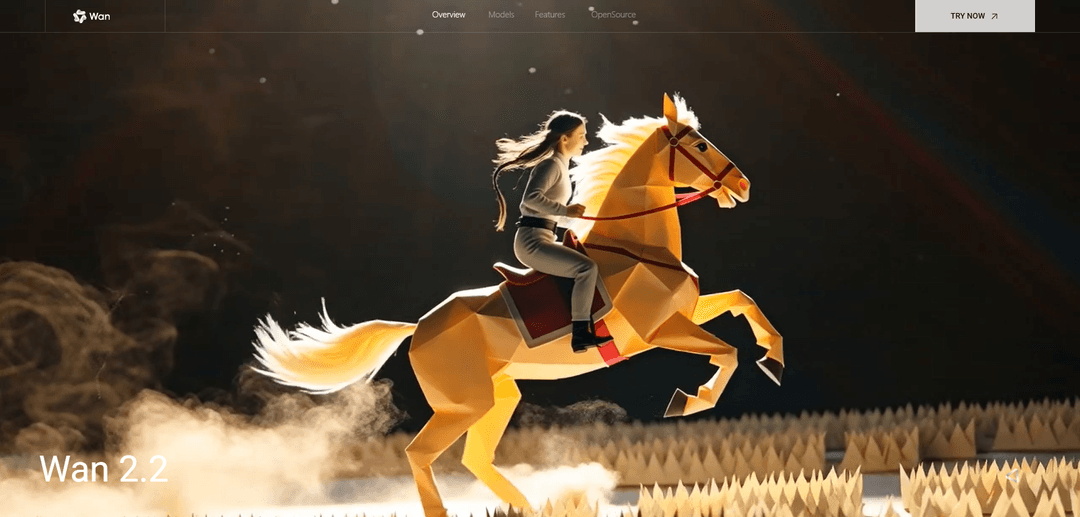
What if generating high-fidelity video was as simple as writing a sentence? Wan 2.2 is an open-source AI model that challenges proprietary systems by producing 720p/1080p video from text, image, or audio prompts. Its unique Mixture-of-Experts architecture enables specialized, efficient processing for results that balance quality with creative control, making professional-grade video generation more accessible.
Key Features
- Mixture-of-Experts Architecture: Leverages multiple specialized neural networks that activate as needed, significantly improving processing efficiency and output quality for complex video generation tasks compared to standard single-model approaches.
- High-Resolution Output: Generates video content in crisp 720p and 1080p resolutions, providing a solid foundation for professional use cases without the blurriness of older, lower-resolution models.
- Open-Source Foundation: Offers full public access to its model weights and architecture, fostering transparency, community innovation, and allowing for extensive customization and self-hosting by developers and researchers.
- Multi-Modal Input Support: Accepts a variety of prompt formats including descriptive text, reference images, and audio cues, providing flexible creative starting points for generating tailored video content.
- Enhanced Controllability: Provides users with more precise influence over the generated output through advanced prompting techniques and parameter adjustments, leading to videos that more closely match the creator's vision.
- Improved Visual Aesthetics: Focuses on producing videos with superior coherence, realistic motion, and overall artistic quality, reducing common AI artifacts like flickering or distorted elements.
- Efficient Resource Utilization: The MoE design allows for more efficient computation by only using necessary 'expert' networks per task, potentially reducing the computational cost and time required for generation.
- Community-Driven Development: Benefits from continuous improvements, bug fixes, and new features contributed by a global community of developers and AI researchers who build upon its open-source codebase.
Pros
- Cost-Effective Accessibility: Being open-source and free to use, it removes significant financial barriers to entry for high-quality video generation, enabling students, indie creators, and researchers to experiment and create.
- Superior Output Quality: Produces noticeably higher resolution and more aesthetically coherent videos than many earlier open-source models, competing closely with the visual fidelity of some commercial offerings.
- High Customization Potential: The open-source nature allows technically skilled users to fine-tune the model, train it on custom datasets, or integrate it deeply into bespoke pipelines for specific needs.
- Transparent and Trustworthy: Provides full visibility into its model architecture and training data, which is crucial for academic research, auditing for biases, and ensuring reproducible results.
- Active Community Support: Users gain access to a wealth of community-generated resources, including tutorials, custom modifications, and troubleshooting help through forums and code repositories.
- Flexible Deployment Options: Can be run on personal hardware or cloud instances, giving users control over their data privacy, security, and avoiding reliance on a third-party's API availability.
- Rapid Innovation Cycle: The public development model means the tool evolves quickly, incorporating the latest research advancements and community contributions at a pace often faster than closed-source competitors.
Cons
- Technical Expertise Required: Effectively installing, running, and especially customizing the model typically demands knowledge of command-line tools, Python, and machine learning frameworks, posing a high barrier for non-technical users.
- Substantial Hardware Demands: Generating high-resolution video requires powerful GPUs with significant VRAM, making it impractical for users without access to high-end consumer or professional-grade hardware.
- Lack of Official Support: Unlike paid services, there is no dedicated customer support team or SLA to help resolve issues; users must rely on community forums and documentation for troubleshooting.
- Inconsistent User Experience: The process of generating video can involve complex parameter tuning and may yield variable results, lacking the polished, predictable, and simple UI of a commercial SaaS product.
- Potential for Longer Setup Time: Going from zero to a generated video involves steps like setting up a compatible environment and configuring dependencies, which can be time-consuming compared to opening a web browser.
- No Integrated Editing Suite: Functions solely as a generation engine; any post-processing, editing, or compositing must be done in separate software, unlike some all-in-one commercial creative platforms.
Use Cases
- Independent Filmmaking: Creates concept trailers, storyboard animations, or background plates for visual effects on a tight budget, allowing solo filmmakers and small studios to visualize ideas before principal photography.
- Educational Content Creation: Educators and explainer channel creators generate concise, custom video segments to illustrate complex concepts, historical events, or scientific processes that are difficult to film in real life.
- Prototyping and Storyboarding: Product designers and advertising agencies rapidly visualize concepts for commercials, product demos, or user experience flows to gather feedback before committing to expensive live-action production.
- Game Asset Development: Indie game developers produce short, loopable background animations, concept art in motion, or unique visual effects for their projects without needing extensive animation expertise or resources.
- Artistic and Experimental Projects: Digital artists and musicians use the tool as a medium for creating generative art, music visualizers, and abstract narratives, exploring the intersection of AI and artistic expression.
- Social Media Content: Content creators and marketers generate engaging, original short-form video clips, memes, and announcements tailored for platforms like TikTok, Instagram Reels, and YouTube Shorts.
- Research and Academia: AI researchers and students experiment with, analyze, and build upon the model's architecture to advance the field of generative video and study multi-modal AI systems.
Quick Start Guide
1. Ensure you have a compatible Python environment and a powerful GPU with sufficient VRAM. 2. Clone the Wan 2.2 repository from its official code hosting platform (e.g., GitHub). 3. Install the required dependencies using pip and the provided requirements file. 4. Run the inference script via command line, pointing it to your text or image prompt to generate your first video.
Conclusion
Wan 2.2 represents a significant leap forward for open-source generative video, offering a powerful and transparent alternative to closed, proprietary systems. Its MoE architecture delivers impressive quality and efficiency. The primary recommendation is for developers, researchers, and technically adept creators who value customization and control over convenience. For these users, the investment in setup and hardware is justified by the tool's capabilities and potential. Those seeking a simple, plug-and-play solution with guaranteed uptime might still prefer a commercial SaaS product. However, for pushing the boundaries of what's possible with AI video generation and contributing to an open ecosystem, Wan 2.2 is an essential tool to explore and support.
Frequently Asked Questions
The core Wan 2.2 model is primarily a command-line tool. However, the open-source community often develops unofficial web interfaces (like Gradio or Streamlit apps) that provide a user-friendly front-end. You would need to deploy these yourself or find a community-hosted instance.
You will need a modern NVIDIA GPU with at least 8GB of VRAM for lower resolutions, but 12GB or more is highly recommended for generating 1080p content reliably. A powerful CPU and ample system RAM are also necessary to support the process.
This depends on the specific open-source license it is released under (e.g., Apache 2.0, MIT). Most permissive licenses allow for commercial use. You must check the license file in its official repository for definitive terms, which typically require attribution.
Generation time varies drastically based on output length, resolution, hardware, and parameters. On high-end hardware, a few seconds of 720p video could take minutes, while longer 1080p generations could take considerably longer, from tens of minutes to hours.
This is model-dependent. Most video generation models are trained on specific resolutions and aspect ratios. While some may allow parameter adjustments for aspect ratio, outputs might be less stable. Custom training or post-processing is often needed for non-standard formats.
The best resources are the project's documentation, its GitHub repository's discussion pages, and community hubs like Discord servers or subreddits dedicated to AI video generation. Users frequently share successful prompts and settings there.
Yes, its open-source nature allows for fine-tuning. However, this is an advanced process requiring significant machine learning expertise, a curated dataset, and substantial computational resources far beyond those needed for simple inference.


