Overview
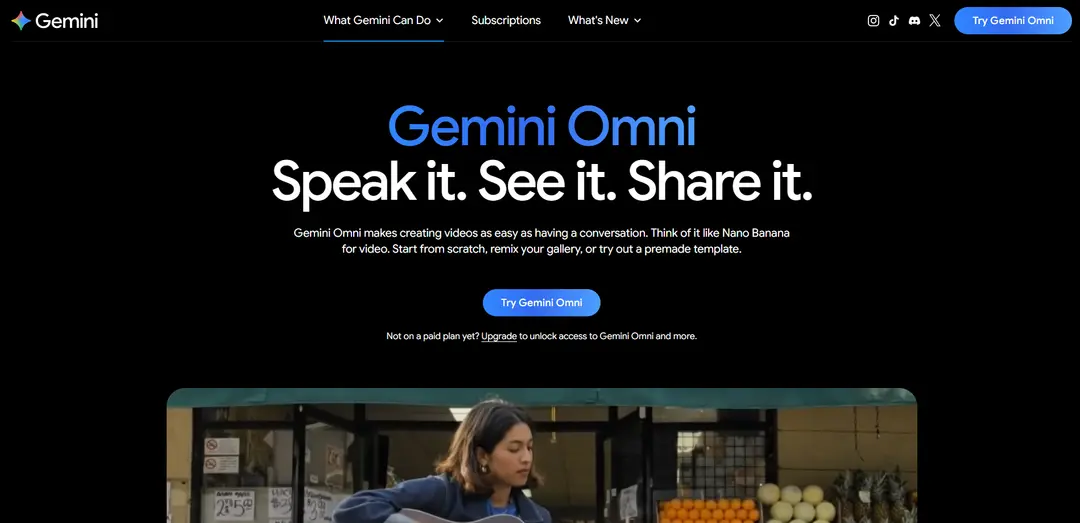
What if video editing felt less like complex software and more like a conversation? Gemini Omni Flash, Google's new multimodal AI, rethinks video creation. It transforms text, images, and video clips into short, polished videos with synchronized audio through simple chat-based instructions, making rapid iteration and refinement its core strength.
Key Features
- Multimodal Input: Generates video from blended inputs like text prompts, up to five reference photos, and existing video clips to precisely guide style, motion, and scene composition.
- Native Audio Generation: Produces short MP4 video clips up to 10 seconds in length with fully synchronized audio created natively alongside the visual output.
- Photo-to-Video Animation: Animates a set of up to five still photographs into a coherent, dynamic motion clip, effectively bringing static images to life.
- Conversational Editing: Allows for multi-turn, plain-language edits through chat; refine a single clip iteratively (e.g., change background, then adjust lighting) without starting over.
- Video Remixing: Transforms existing footage by altering its style, scenery, or specific visual details while maintaining the core composition and key elements of the original shot.
- AI Avatar Integration: Offers the optional capability to create and reuse a digital likeness (including look and voice) for consistent appearances in generated videos.
- SynthID Watermarking: Embeds a tamper-proof digital watermark into all generated content for verification of origin and to maintain transparency about AI-generated media.
- Iterative Refinement: Preserves the foundational elements or 'soul' of a shot across multiple editing turns, ensuring consistency and quality throughout the creative process.
Pros
- Intuitive Workflow: The chat-based, conversational interface significantly lowers the barrier to entry, making advanced video editing accessible to non-experts.
- Rapid Prototyping: Enables creators to quickly generate and test multiple visual concepts and stylistic variations for short-form content in minutes.
- Powerful Multimodality: The ability to blend text, image, and video inputs provides unparalleled creative control and guidance over the final output's style and motion.
- Cohesive Audio-Visual Output: Native audio generation that is synchronized with the video eliminates the need for a separate soundtrack sourcing and editing step.
- Non-Destructive Editing: The multi-turn edit functionality allows for endless experimentation and refinement without losing previous progress or starting from scratch.
- Brand Consistency: The AI avatar feature allows for the creation of a consistent presenter or spokesperson across multiple videos without repeated filming sessions.
Cons
- Short Clip Length: Videos are currently limited to approximately 10 seconds, restricting its use for longer narrative formats or comprehensive explainer content.
- Potential Processing Limitations: As a cloud-based model, performance and speed may be subject to server load, queue times, or required internet connectivity.
- Creative Constraints: While powerful, the AI may occasionally misinterpret complex prompts or struggle with highly specific or nuanced artistic requests.
- Avatar Availability: The AI avatar feature's functionality and realism may vary and is not guaranteed to be available in all regions or for all users at launch.
- Output Consistency: Iterative edits, especially major ones, can sometimes introduce slight inconsistencies or artifacts compared to the original generated clip.
Use Cases
- Social Content Creation: Rapidly produce and A/B test multiple styled versions of short clips for platforms like YouTube Shorts or TikTok through simple chat commands.
- Marketing Concept Testing: Generate quick, low-fidelity video ad concepts, swap products or backgrounds, and adjust lighting to visualize ideas before committing to a full production.
- Educational Explainers: Educators can transform lesson outlines and reference images into short, engaging animated clips, refining visuals for clarity through step-by-step instructions.
- Creative Pre-Visualization: Filmmakers and designers can prototype shots, experiment with camera movements, and establish mood boards as moving sequences before actual filming.
- Product Demonstrations: Create dynamic videos showcasing a product from various angles or in different environments by using a few product photos as a reference.
- Personalized Video Messages: Generate fun, short video greetings or announcements featuring an AI avatar likeness for a unique and personalized touch.
Quick Start Guide
1. Access the tool through the Gemini app or supported creative surfaces like Google Flow. 2. Provide your initial input: a text prompt, upload up to five images, or a short video clip for reference. 3. Review the generated ~10s clip and use the chat interface to give follow-up edit instructions (e.g., 'make the lighting warmer' or 'stabilize this shot').
Conclusion
Gemini Omni Flash is less a traditional video editor and more a collaborative creative partner. Its revolutionary strength lies in conversational, iterative editing, making it ideal for prototyping, short-form content, and rapid experimentation. It is highly recommended for social media creators, marketers, and educators who need to produce a high volume of short, polished videos quickly and with minimal technical overhead. For longer narratives or projects requiring frame-perfect precision, it serves best as a powerful ideation tool rather than a final production suite.
Frequently Asked Questions
You can use a text prompt on its own, or blend inputs. This includes text plus up to five reference images, or text plus a short existing video clip to guide the style and composition.
Videos are currently limited to short clips, approximately 10 seconds in length. This is optimized for quick generation and short-form content platforms.
Yes, a key feature is native audio generation. It produces synchronized audio that matches the video content, creating a complete MP4 file.
Absolutely. This is a core feature. You can use plain language in the chat interface to request multi-turn edits like changing the background, adjusting lighting, or stabilizing the shot on the same clip.
An AI avatar is an optional digital likeness of a person (their look and voice). You can create one and then insert it into generated videos without needing to upload reference material each time.
Yes, all generated content includes a SynthID watermark. This is a tamper-proof digital watermark designed for verifying that the media was created by AI, ensuring transparency.
It is integrated into the Gemini app and is rolling out to other creative surfaces like Google Flow and YouTube Shorts. It replaces the previous Veo model for supported users in the Gemini app.