

Overview
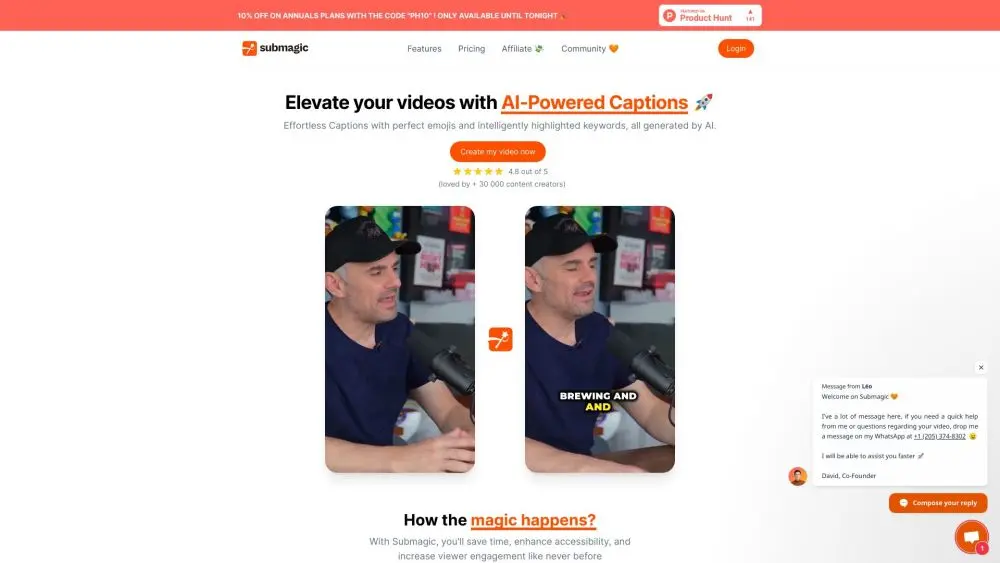
In an era where short-form video dominates, creators face immense pressure to produce high-quality, captioned content rapidly. Submagic directly addresses this by leveraging AI to automate the most tedious aspects of video editing, enabling the creation of professional-looking clips in seconds, not hours.
Key Features
- AI-Powered Captions: Generates stylish, attention-grabbing captions in 48 different languages, significantly boosting viewer engagement and watch time on social platforms.
- Magic B-Rolls: Instantly enhances videos by adding relevant stock footage from Storyblocks and applying seamless transitions with a single click for a polished look.
- AI Trimming: Offers two editing modes: a text-based editor to cut footage by deleting words or a classic timeline for precise manual control over video segments.
- Automatic Zooms & Effects: AI intelligently analyzes speech patterns and adds dynamic zooms, sound effects, and music cues to emphasize key moments automatically.
- Team Collaboration: Allows users to effortlessly invite team members, clients, and partners to review, comment on, and edit projects within a shared workspace.
- Feedback & Sharing: Provides a streamlined system to share video drafts globally and collect timestamped feedback, simplifying the revision and approval process.
- Auto Descriptions: Generates video descriptions and titles based on the content of the clip, saving time on crafting metadata for various publishing platforms.
- High Accessibility: Creates accurate, synchronized subtitles that make video content accessible to viewers who are deaf or hard of hearing, expanding audience reach.
Pros
- Speed and Efficiency: Drastically reduces video production time from hours to minutes, allowing for rapid content creation and publishing schedules.
- Caption Quality: Produces highly accurate, stylized subtitles that are crucial for mobile viewers who often watch videos without sound.
- Ease of Use: Features an intuitive, user-friendly interface that requires no prior video editing experience to achieve professional results.
- Collaboration Tools: Streamlines workflows for teams and agencies by enabling real-time feedback and shared project management within the tool.
- Accessibility Compliance: Automatically generates compliant subtitles, making content more inclusive and meeting various platform accessibility standards.
- Global Reach: Support for 48 languages allows creators to easily subtitle content for international audiences and non-native speakers.
Cons
- Limited Free Tier: The free version offers restricted access to features, pushing users toward a paid subscription for full functionality.
- AI Dependency: The output quality is wholly dependent on the AI's accuracy, which may occasionally misinterpret speech or context, requiring manual corrections.
- Internet Reliance: Being a web-based tool, it requires a stable internet connection for all functions, limiting offline editing capabilities.
- Customization Limits: While automated, the style templates for captions and effects may have constraints for users seeking highly unique, bespoke designs.
- Subscription Model: Operates on a recurring subscription cost, which can be a barrier for individual creators or small businesses on a tight budget.
Use Cases
- Social Media Content: Ideal for creators and marketers needing to quickly produce a high volume of engaging, captioned Reels, Shorts, and TikToks for various platforms.
- Business Presentations: Enhances internal and external communication videos by adding professional captions, B-roll, and effects without a dedicated video team.
- Educational Content: Allows educators and trainers to create accessible tutorial and explainer videos with accurate subtitles for better student comprehension.
- Accessibility Compliance: Essential for organizations and public figures to ensure their video content is inclusive and meets WCAG or other accessibility guidelines.
- Agency Workflows: Serves marketing and video production agencies by speeding up client review cycles and simplifying collaboration on video projects.
- Content Repurposing: Efficiently converts long-form content like webinars or podcasts into multiple short, captioned clips optimized for social media promotion.
Quick Start Guide
1. Sign up for an account on the Submagic website. 2. Upload your raw video footage directly into the web-based editor. 3. Use the AI tools to generate captions, add B-roll, and apply effects. 4. Review the final product, make any minor tweaks, and export your completed video.
Conclusion
Submagic excels as a specialized tool for a very specific and high-demand niche: the rapid creation of short-form, social-ready video content. Its greatest strength is eliminating the bottleneck of manual captioning and editing. It is highly recommended for social media managers, content creators, small businesses, and anyone who needs to produce accessible video content quickly without a steep learning curve. However, for professionals requiring advanced color grading, complex multi-track editing, or complete artistic control, it should be considered a powerful supplement to, not a replacement for, a full-featured editor like Adobe Premiere or DaVinci Resolve.
Frequently Asked Questions
Caption generation is typically a matter of seconds. The AI processes the audio almost instantly, though the total export time for the final video depends on its length and the additional effects applied.
While specific limits can change, free plans commonly restrict video export quality, include a watermark, limit the number of exports per month, and provide access to only a subset of features and caption styles.
Submagic offers a library of pre-designed, customizable styles. The ability to fully upload and use custom fonts would depend on the specific subscription tier and current feature set.
It primarily functions as a web application. Direct publishing integrations to platforms like YouTube or TikTok would be a feature to check for on their website, as these are commonly requested and sometimes offered.
The tool is optimized for short-form content. There is likely a cap on upload length, which is standard for such platforms to manage processing loads effectively.
Accuracy is generally high for supported languages but can vary based on audio clarity, accents, and specialized vocabulary. It's always advisable to review and edit the generated text.
Submagic is primarily a web-based tool. The availability of a dedicated native mobile app should be confirmed on their official website, as this is a common area of development.


