

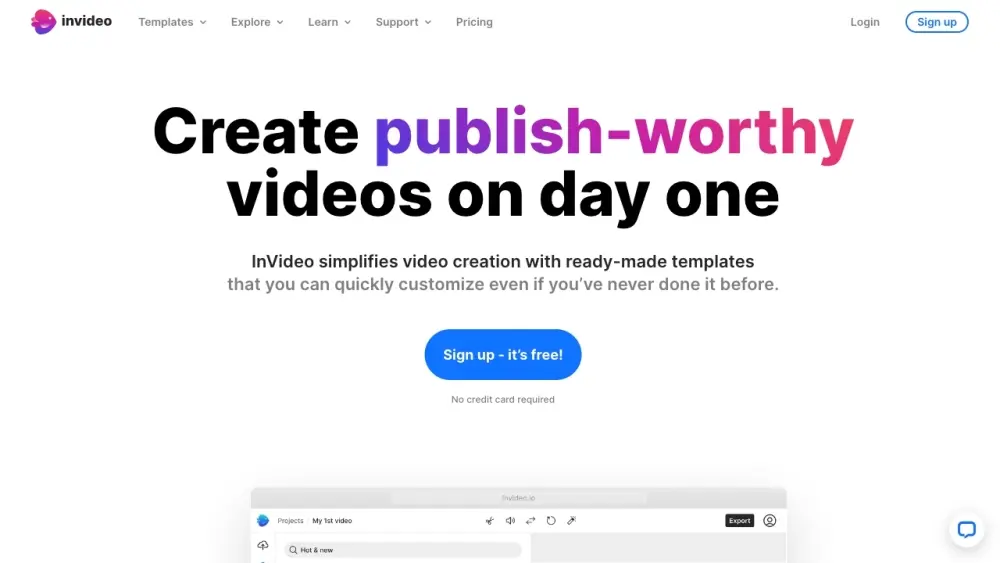
Overview
With over 7.6 million monthly visits and growing, InVideo taps into a clear market need: the demand for high-quality video content without the steep learning curve of professional editing software. This AI-powered platform transforms text prompts or existing materials into polished videos, making advanced creation tools accessible to marketers, educators, and businesses of all sizes.
Key Features
- AI Text-to-Video Generation: Create complete videos from a single text prompt. The AI automatically generates a script, suggests and sources relevant visuals, adds a synchronized voiceover, and compiles everything into a coherent, publish-ready video.
- Extensive Media Library: Access a vast repository of over 16 million premium stock assets from leading providers like iStock and Shutterstock, eliminating the need for external sourcing and ensuring high-quality visuals for any project.
- Multilingual Support: Produce and localize content for a global audience with support for 50+ languages. The platform can generate accurate subtitles and natural-sounding AI voiceovers in each language.
- AI Voice Cloning: Generate a digital clone of your own voice for consistent brand narration across all videos, or choose from a wide array of realistic, AI-generated voices to match your content's tone.
- Intuitive Text-Based Editing: Make precise edits to your video by simply modifying the text transcript. Change visuals, cut clips, or add elements through text commands, streamlining the revision process.
- Automated Script Generation: Input a topic or keyword, and the AI will write a structured, engaging video script complete with scene-by-scene directions, saving significant time in the pre-production phase.
- Real-Time Collaboration: Work seamlessly with team members or clients on the same project. Share edit links, leave timestamped comments, and review changes simultaneously within the editor.
- Customizable Brand Kits: Maintain brand consistency by uploading logos, selecting color palettes, and choosing fonts to create a kit that is automatically applied to all new video projects.
- Template Library: Jumpstart creation with thousands of professionally designed templates optimized for specific platforms like Instagram, YouTube, or TikTok, ensuring the correct format and style.
- One-Click Resizing: Instantly adapt a single video for different social media platforms and aspect ratios (e.g., from YouTube to Instagram Reels) without manually recomposing the entire project.
Pros
- User-Friendly Interface: The platform is designed for ease of use, allowing beginners to create professional videos quickly while offering enough depth for pros to execute complex ideas.
- Rapid Content Creation: AI-driven automation significantly cuts down production time, enabling users to turn ideas into finished videos in minutes rather than hours or days.
- Comprehensive Media Access: The massive integrated library of stock footage, images, and music provides all the necessary assets without requiring subscriptions to external services.
- Global Reach Capabilities: Robust multilingual tools, including translation and voice synthesis, empower businesses to create effective localized content for international markets effortlessly.
- Strong Collaboration Features: Real-time co-editing and feedback tools make it an excellent solution for teams and agencies managing projects with multiple stakeholders.
- High-Quality Output: The combination of AI smarts, premium templates, and stock assets results in videos that meet professional standards suitable for public marketing and branding.
Cons
- Advanced Feature Learning Curve: While basic functions are intuitive, mastering the full suite of advanced editing tools and AI features requires a non-trivial time investment.
- Occasional Performance Issues: Some users report experiencing lag or technical glitches within the browser-based editor, especially when working on longer or more complex projects.
- Pricing for Heavy Users: The subscription cost can become significant for individual creators or small businesses that require frequent high-volume output or access to premium features.
- Internet Dependency: As a web-based platform, a stable and relatively fast internet connection is mandatory for smooth operation, which can be a limitation in some scenarios.
- AI Output Refinement Needed: While the AI-generated first draft is impressive, it often requires human oversight and manual tweaking to achieve a truly polished and nuanced final product.
Use Cases
- Social Media Marketing: Quickly produce a high volume of engaging, platform-optimized videos for feeds, stories, and ads to boost brand awareness and audience engagement.
- Educational Content: Create clear and informative explainer videos, online course modules, and tutorials that break down complex subjects into easily digestible visual formats.
- Product Demonstrations: Develop professional showcase videos that highlight key features and benefits of a product or service for sales pages, landing pages, and email campaigns.
- News and Media Summaries: Rapidly turn articles, press releases, or blog posts into short video summaries for distribution on social channels to capitalize on trending topics.
- Internal Business Communications: Produce consistent training materials, company-wide announcements, and internal reports in video form to improve information retention and engagement.
- Personalized Video Messaging: Craft customized video messages for email marketing or customer outreach by easily swapping out names and details within a template using text commands.
- Localized Advertising: Efficiently create multiple versions of an ad campaign translated into different languages and tailored for specific regional markets using the AI's multilingual tools.
- Content Repurposing: Transform existing long-form content like webinars, podcasts, or blog posts into short, impactful video clips perfect for social media promotion and teasers.
Quick Start Guide
1. Sign up on the InVideo website for a free trial using your email or social account. 2. Choose your path: use the AI prompt box to generate a video from a text description or browse templates to start from a pre-designed foundation. 3. For AI videos, input your idea, specify details like length and accent, then let the AI build your first draft. 4. Use the intuitive editor to customize scenes, text, and voiceover before exporting your final video.
Conclusion
InVideo successfully democratizes professional video creation by leveraging AI to handle the heavy lifting. It is an exceptionally powerful tool for marketers, educators, and businesses that need to produce a high volume of quality video content quickly and without a dedicated video production team. While there is a learning curve for its advanced capabilities and the cost may be a consideration for some, the time savings and quality output are significant value propositions. It is highly recommended for teams looking to scale their video content strategy efficiently. For individual creators, the free plan is a great way to assess its fit before committing to a subscription.
Frequently Asked Questions
Yes, InVideo offers a free plan with limited exports that include a watermark. This is ideal for testing the platform's core features before upgrading to a paid subscription for watermark-free, high-quality exports and full access to the premium media library.
The free trial typically grants access to most features but limits the number of exports and includes an InVideo watermark on downloaded videos. Access to premium stock media from iStock and Shutterstock is usually reserved for paid plans.
You provide a text prompt describing your video concept. The AI then interprets this prompt, writes a script, breaks it into logical scenes, selects appropriate visuals from its library, generates a voiceover narration, and assembles everything into a coherent video draft for you to review and edit.
Absolutely. The platform allows you to upload your own video clips, images, and audio files. You can integrate this personal media with the AI-generated content and stock assets from the library within the editor for complete creative control.
Video length limits can depend on your subscription tier. Free plans often have shorter limits (e.g., 15 minutes), while paid plans allow for much longer videos, typically suitable for webinars, presentations, and long-form content.
InVideo offers various integrations to streamline workflow, including options to publish directly to social media platforms like YouTube and to import content from services like Canva for further design flexibility.
The AI voiceovers are highly advanced, offering a range of natural-sounding voices in multiple languages and accents. While generally excellent for most purposes, discerning ears might still notice it's synthetic, especially for very emotional or nuanced narration.


