

Overview
What if you could generate AI images without writing a single word? Google Whisk, an experimental tool from Google Labs, flips the script on traditional AI image generation. Instead of crafting detailed text prompts, users simply drag and drop existing images to guide the AI, making visual ideation more intuitive and accessible for creative exploration.
Key Features
- Image-Based Prompting: Users can upload three distinct images to define the subject, the desired scene or background, and the artistic style, completely bypassing the need for written text descriptions.
- Gemini AI Vision Integration: The tool leverages Google's advanced Gemini AI Vision model to meticulously analyze uploaded images, identifying key features, composition, and style elements to inform the generation process.
- Imagen 3 Technology: Powers the core image generation, creating new, high-quality visuals based on the analysis provided by the Gemini AI Vision model from the user's uploaded reference images.
- My Library Feature: Provides a centralized repository for users to access, review, and manage all their previously generated images, allowing for easy re-use and further iteration on past ideas.
- Rapid Iteration Workflow: Designed for speed and experimentation, enabling users to quickly generate multiple variations by slightly modifying their input images to explore different creative directions.
- Subject Isolation: Accurately identifies and extracts the main subject (e.g., a person, object, or animal) from a cluttered background when used as the 'Subject' input image.
- Style Transfer: Effectively analyzes the aesthetic qualities—such as color palette, brush strokes, and texture—from a reference image and applies them cohesively to the newly generated scene and subject.
- Scene Composition: Intelligently interprets the setting, mood, and spatial layout from a background image and composites the designated subject into it in a believable and contextually appropriate manner.
Pros
- Intuitive Visual Interface: Lowers the barrier to entry by eliminating the need for mastering complex prompt engineering, making AI image generation accessible to non-technical users.
- High-Fidelity Style Transfer: Excels at capturing and replicating intricate artistic styles from reference images, often achieving more accurate results than text-based descriptions can provide.
- Rapid Concept Exploration: The workflow is optimized for generating a high volume of ideas quickly, which is invaluable for brainstorming and early-stage creative development.
- Precise Subject Control: Offers superior control over the specific subject matter in the generated image compared to text prompts, which can often be misinterpreted by the AI.
- Free Access: Currently available as a free experimental tool through Google Labs, providing significant value without any financial commitment for users.
- Seamless Google Integration: For users within the Google ecosystem, it offers a familiar and potentially well-integrated experience, though it functions as a standalone web tool.
- Ideal for Visual Learners: Caters to individuals who think and communicate more effectively through visual mediums rather than textual descriptions.
Cons
- Experimental Status: As a Labs product, it lacks the reliability, full feature set, and long-term support guarantees of a finalized commercial application from Google.
- Limited Precision Editing: The tool is designed for ideation and generation, not for making precise, pixel-level edits or corrections to the resulting images.
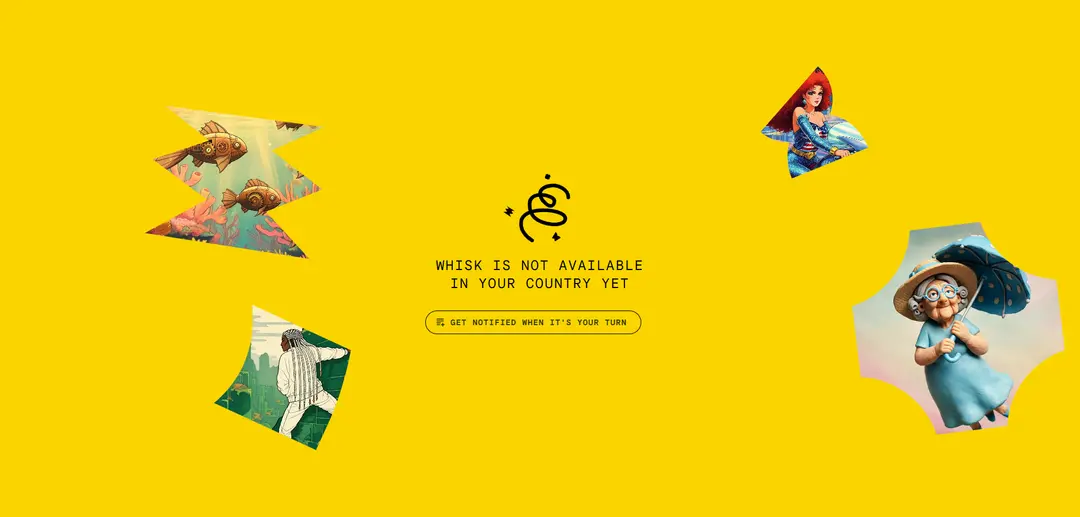
- Regional Restrictions: Currently unavailable in several countries, including the UK, limiting access for a global audience and creating accessibility issues.
- Input Dependency: The quality of the output is heavily reliant on the quality and clarity of the three input images provided by the user.
- Age Restriction: Limited to users aged 18 and above, excluding younger audiences who might benefit from its creative potential in an educational context.
- Lack of Advanced Controls: Offers fewer fine-tuning parameters and settings compared to some established, text-based AI image generators, limiting user control over the output.
Use Cases
- Marketing Concept Art: Quickly generate on-brand mockups and visual concepts for campaigns by using existing product photos and brand style guides as inputs.
- Storyboarding and Ideation: Writers and directors can visually map out scenes by combining character reference photos with location shots and desired cinematic styles.
- Fashion and Product Design: Explore new designs by applying patterns, textures, and colors from style images to basic product silhouettes or mannequin photos.
- Architectural Visualization: Create conceptual renders by placing a building model (subject) into various environmental settings (scene) under different lighting conditions (style).
- Artistic Experimentation: Digital artists can fuse their own photographs with the styles of famous paintings or other artworks to create novel hybrid pieces.
- Personal Art Creation: Individuals can generate unique avatars, posters, or gifts by combining a personal photo with a favorite scenic background and an artistic filter.
- Educational Content: Teachers can create engaging learning materials by visually placing historical figures into accurate period settings or illustrating scientific concepts.
- UI/UX Mockups: Designers can rapidly prototype app interfaces by applying a new visual style (from a reference) to an existing wireframe or layout structure.
Quick Start Guide
1. Go to the Google Whisk tool on Google Labs. 2. Drag and drop an image for your subject (e.g., a person), another for your desired scene (e.g., a beach), and a third for style (e.g., a watercolor painting). 3. Click 'Generate' and let the AI create a new composite image. 4. Review the result, adjust your input images if needed, and generate again or download your favorite output.
Conclusion
Google Whisk represents a significant pivot in AI image generation, prioritizing visual intuition over textual precision. It is not a tool for creating photorealistic edits with pinpoint control but rather a powerful engine for rapid brainstorming and stylistic exploration. Its greatest strength lies in its ability to translate a visual mood board into a coherent image almost instantly. It is highly recommended for creatives in the early ideation phase, marketers needing quick mockups, and anyone who finds text prompts limiting. However, users requiring highly specific outcomes or residing in unsupported regions should temper their expectations. As an experimental tool, its future is uncertain, but it offers a compelling and free glimpse into a more visually-driven future for AI creativity.
Frequently Asked Questions
Yes, Google Whisk is currently free as it is an experimental tool available through Google Labs. There is no pricing tier or subscription model at this time.
Google has not publicly disclosed specific hard limits on the number of generations. However, as an experimental tool, usage policies may be subject to change, and the service could be limited to ensure stability.
While exact specifications aren't detailed, it reliably supports common web formats like JPG and PNG. Extremely large or small images may be resized or processed to fit the model's requirements.
You should review Google's terms of service for AI-generated content. Typically, outputs from experimental tools come with usage rights, but clarifying the specific license for commercial use is advised before deployment.
As a web-based tool, it should be accessible on mobile browsers that support its core functionalities, such as image upload. However, the experience is likely optimized for desktop use.
Its core differentiator is the input method: it uses images instead of text prompts for subject, scene, and style. This makes it unique compared to text-first tools like Midjourney or DALL-E.
No, Whisk is focused on generation, not editing. You can re-run generations with modified inputs, but for pixel-level edits, you will need to download the image and use separate software.
No, Google Whisk does not currently offer a public API for developers. It is solely a user-facing web application as part of Google Labs.


