Overview
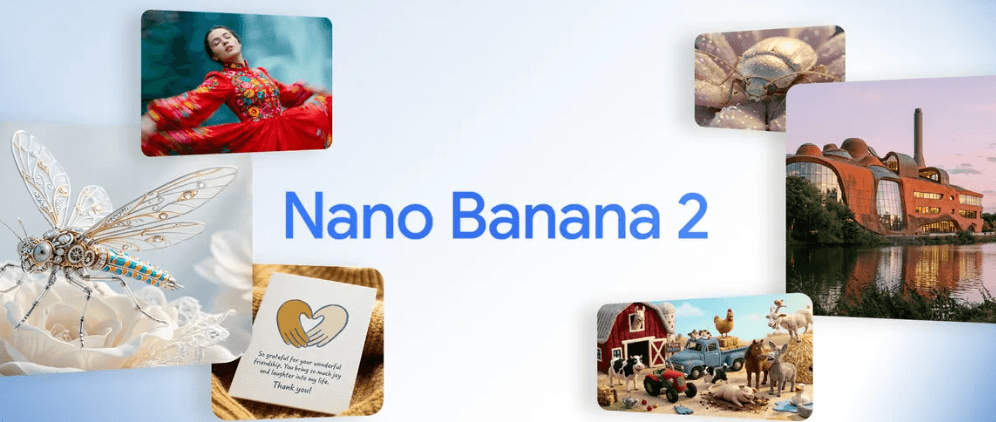
What if you could generate high-quality AI images as quickly as you can type a query? Nano Banana 2 represents Google DeepMind's latest advancement in making professional-grade image generation widely accessible. This iteration merges the rapid processing of the original model with the sophisticated capabilities previously reserved for Pro users. It's designed to integrate seamlessly across Google's ecosystem, from Search to AI Studio, offering both speed and enhanced creative control without the typical performance trade-offs.
Key Features
- Gemini Flash Speed: Delivers rapid image generation and editing cycles by leveraging the efficient Gemini Flash architecture, significantly reducing wait times for complex visual tasks.
- Pro-Level Fidelity: Incorporates the high-quality output and detail resolution of the Nano Banana Pro model, ensuring images meet professional standards for clarity and realism.
- Real-Time Web Knowledge: Integrates live web search data to produce images that are contextually accurate and reflect current events, trends, and factual information.
- Advanced Text Rendering: Capable of generating and integrating multilingual text within images with improved accuracy, handling various fonts and stylistic treatments effectively.
- Multi-Character Consistency: Maintains visual consistency for up to five distinct characters across multiple generated images, which is essential for storytelling and branding.
- Complex Scene Management: Handles intricate scenes containing up to 14 different objects within a single workflow, allowing for detailed and populated image creation.
- Precise Creative Control: Provides users with granular adjustments over artistic elements such as lighting conditions, surface textures, and fine details for customized outputs.
- Seamless Google Integration: Functions natively within Google's suite of products, including the Gemini app and Google Cloud, for a unified user experience.
- Enhanced Editing Workflow: Offers faster in-painting, out-painting, and style modification tools directly within the generation interface for iterative refinement.
- Object-Oriented Manipulation: Allows for individual editing and manipulation of specific objects within a generated scene after the initial creation process.
Pros
- Balanced Performance: Successfully combines high-speed generation with exceptional image quality, eliminating the need to choose between fast results and detailed outputs.
- Accessibility: Democratizes advanced features that were once premium, making powerful image creation tools available to a broader, non-professional audience.
- Contextual Intelligence: The integration of real-time web data ensures images are not just visually appealing but also factually relevant and up-to-date.
- User-Friendly Interface: Designed to work within familiar Google environments, reducing the learning curve for users already accustomed to these platforms.
- Scalable Complexity: Capable of handling everything from simple illustrations to complex multi-object scenes, making it versatile for various project scales.
- Consistency for Narratives: The ability to maintain character appearance is a significant advantage for creators working on comic strips, storyboards, or branded content.
- Iterative Design Support: The swift editing capabilities encourage experimentation and refinement, which is crucial for creative exploration and perfecting a concept.
- Cost-Effective for Google Users: For those embedded in the Google ecosystem, it represents a powerful, integrated tool without the need for additional standalone software subscriptions.
Cons
- Platform Lock-in: Heavily integrated with Google's services, which may limit usability for individuals or organizations that prefer or rely on alternative platforms.
- Pro Feature Gatekeeping: While more accessible, the very highest tier of Pro features still requires a subscription, creating a potential paywall for power users.
- Character Limit: The consistency feature maxes out at five characters, which could be restrictive for projects requiring large, consistent casts of characters.
- Object Handling Cap: Managing only 14 objects in a scene might not suffice for extremely dense or intricate architectural or environmental visualizations.
- Dependence on Web Data: Real-time knowledge integration is a double-edged sword, potentially leading to inaccuracies if source web information is incorrect or biased.
- Unknown Long-Term Costs: The pricing structure for high-volume or commercial use outside of subscription bundles remains unclear, posing a potential future financial risk.
Use Cases
- Content Marketing: Rapidly generating unique, royalty-free blog post illustrations, social media graphics, and advertisement visuals that are tailored to current topics.
- Concept Art and Storyboarding: Visualizing ideas for game design, film pre-production, or product concepts quickly, with consistent character representation for narrative flow.
- Educational Materials: Creating accurate diagrams, historical recreations, and scientific illustrations enriched with real-world data for textbooks and online courses.
- E-commerce Product Mockups: Generating lifestyle images showing products in various settings without the need for expensive photoshoots or stock photo licenses.
- UI/UX Prototyping: Designing placeholder images, icons, and interface elements for websites and applications during the early stages of development.
- Personalized Art Projects: Crafting custom avatars, greeting cards, or digital art pieces with specific stylistic elements and personalized text inclusions.
- Architectural Visualization: Producing preliminary visual concepts for spaces, though limited by the object count for highly detailed interior or exterior scenes.
- News and Journalism: Creating timely, relevant imagery for articles on breaking news events where traditional photography is not yet available.
Pricing & Plans
Specific pricing for Nano Banana 2 as a standalone service is not explicitly detailed in the provided data. It appears to be rolling out within Google's existing ecosystem. Typically, Google employs a freemium model for its AI tools: a free tier with basic usage limits exists, while advanced features and higher usage caps are gated behind subscriptions like Google AI Pro or Google One AI Premium. For precise, current pricing, visiting the official Nano Banana 2 or Google AI Studio website is recommended.
Quick Start Guide
1. Access the Tool: Navigate to the Nano Banana 2 website or open it within your Google AI Studio or Gemini app interface. 2. Formulate a Prompt: Type a detailed description of the image you want to generate, including style, objects, and mood. 3. Generate and Refine: Click generate, then use the editing tools to adjust lighting, textures, or specific areas of the image. 4. Export: Download your final image in your preferred format for use in your project.
Conclusion
Nano Banana 2 is a significant step forward in democratizing advanced AI image generation. Its primary strength lies in striking a practical balance between the speed required for iterative creativity and the quality demanded for professional outputs. While its deep integration with Google's ecosystem is a major advantage for users within that walled garden, it could be a limitation for others. The model is ideally suited for content creators, marketers, and designers who need to produce relevant, high-quality visuals rapidly and are already operating within or are willing to adopt Google's platform. For those users, it represents a powerful and efficient tool. However, organizations requiring complete platform independence or handling scenes of extreme complexity should evaluate the specific constraints regarding object and character limits before fully committing.
Frequently Asked Questions
Nano Banana 2 is Google DeepMind's latest AI image generation model. It combines the high speed of the original Nano Banana with the advanced, high-quality features of the Nano Banana Pro version, making professional-level image creation faster and more accessible.
Yes, a free tier is available, typically with limitations on the number of generations or access to certain features. Full access to advanced Pro capabilities generally requires a Google AI Pro or similar subscription.
The model can pull current images and information from Google Search results. This allows it to generate visuals that are contextually accurate and reflect real-world, up-to-date content, such as current events or recent product designs.
Nano Banana 2 can maintain visual consistency for up to five distinct characters across multiple image generations. This is useful for creating a series of images featuring the same characters.
Yes, the tool includes editing features that allow you to modify specific parts of an image, adjust elements like lighting and texture, or regenerate sections while keeping other parts consistent.
It is integrated into various Google products and services, including the Gemini app, Google AI Studio, Google Search (SGE), and Google Cloud's Vertex AI platform.
The model is capable of managing scenes with up to 14 different objects within a single generation workflow.
Features previously exclusive to Nano Banana Pro are accessible to subscribers of Google AI Pro and Google One AI Premium plans. These can often be activated via a menu option on generated images.
Yes, it includes advanced multilingual text rendering capabilities, allowing you to incorporate text elements like signs or labels into your generated images with improved accuracy.
It represents an evolution by merging the best attributes of its predecessors: the speed of the original Nano Banana and the high-fidelity, advanced control of Nano Banana Pro, all in a more widely available package.